I hope everyone is enjoying their last few weeks of summer. My summer break is officially over. I went back to work on August 3. I won't actually see students until the end of the month when school starts, but we are all back at the office. I have been busy prepping for back to school and shopping the big Teachers Pay Teachers sale. Now I am going to take a few minutes to share an app review with you and give you a chance to win a FREE copy (see below to enter). The app is Funny Directions and it's brought to you by Speecharoo Apps.
You will love this app if you have any kiddos who are working on goals for following 1, 2, or 3 step directions. It offers a simple way to practice listening and following directions, while playing and having fun on the iPad. And we all know kids love to be on iPads.
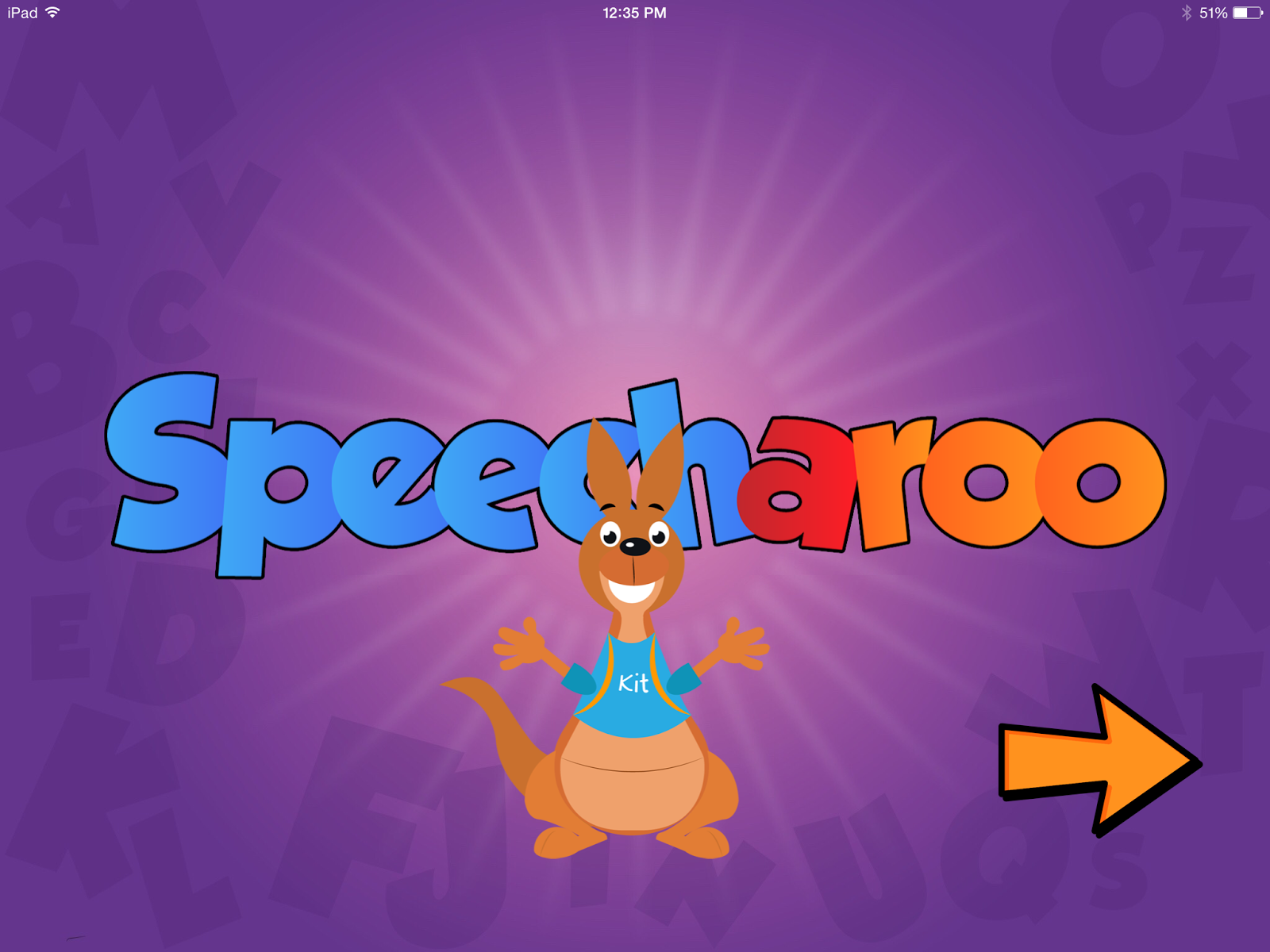
When you first open the app, you are greeted by the cute little Speecharoo kangaroo. You can then proceed to the home screen where you will select your practice level.
There are 4 practice rooms to choose from. Each room has options to practice following 1, 2, or 3 step directions. Simply click on the corresponding balloon to enter the desired room.
Once you are in the room, you will see a variety of items spread about. Each set of directions will be presented one at a time, up to 10 trials. The directions are presented in both verbal and written forms, but you can turn each on/off to meet the needs of your students.
After the child has successfully followed the direction presented, the item will activate and do something (make a noise, or move). If the wrong item is selected, the directions will repeat until the correct item is touched. After 10 trials in one room, our cute kangaroo friend will appear with a screen that says "Great job!" He will hop around releasing balloons from his pouch, which the child can pop as they float up the screen. This screen appears after 10 trials, no matter what the score was.
After a few balloons are released, an arrow will appear at the bottom of the screen. Touching this arrow will move you into the next room with the same level of directions as you were on previously. After all 4 rooms have been completed for each level of difficulty, the app will automatically move you up to the next level of directions.
I was very pleased with this app. It is simple to use, easy to understand, and has fun animations to reward the children for correct answers. I like that the directions are simple and clear and that there are opportunities to practice at 3 different difficulty levels.
I can see that some of my students may need to be taught certain vocabulary words prior to using this app (such as "globe"), but most of the items are very common and easy to identify.
This great app can be found in the App Store for only $2.99. However, I have a FREE copy to give away! Enter below for your chance to win. Enter by Friday, August 7 at midnight (really Aug. 8, right?). I will post the winner on Saturday morning.
Thanks for stopping by and good luck!
a Rafflecopter giveaway
Showing posts with label app review. Show all posts
Tuesday, August 4, 2015
Saturday, June 6, 2015
Prep Positions {App Review & Giveaway}
How much do you love Smarty Ears apps? They are just absolutely fantastic (and no, I was not paid to say that). I am thrilled to bring you a review of another one of their great apps: Prep Positions, and I have a FREE copy of the app to give away...
Saturday, May 23, 2015
App Review and GIVEAWAY (Part 1)
I just love trying out new apps! I have several app reviews to share with you, but I want to space them out a bit, so this is Part 1. I recently heard about Teach Speech Apps and was provided with copies of some of their apps to try out and review. I also have codes to giveaway 2 FREE copies of the apps (enter below)! I love giveaways, don't you?
Monday, March 23, 2015
Smarty Spell {App Review}
I have an app review for you today! This review is for Smarty Spell, a new app by Smarty Ears. I haven't had the opportunity to use any of the Smarty Ears apps, but I hear they are fabulous, so I jumped at the opportunity to try out this new one. Since I'm not working on spelling with any of my speech students, I am using my past experience as a teacher to help me write this review.
Smarty Spell is designed to help young spellers practice their spelling skills in a fun, interactive way. It is so much more fun than just paper and pencil practice, and not near as messy as writing spelling words in sand or shaving cream. All you need is the app loaded on your iPad and you are ready to go!
When you first open the app, you will see a screen where you can access the report cards for students, start practicing, or access the settings.
One thing I like about this app is that you are able to access the settings at any time, without being required to return the homepage. That is very helpful. In the settings you can adjust things like how many extra letters may be added to the bank of letters, whether or not the app will read the words, font size, and you can also turn off the picture cue that shows up with the word.
Time to select your players. Adding players is very simple and only requires the student's name. You can also add a picture of each student, or let them select one of the fun avatars. I think kids will really like the variety of avatars to choose from.
Once you have selected your student, you will then need to select which spelling list they will work on. There are premade lists for grades kinder through 6th and also themed lists (animals, fruit, clothing, etc.).
You can also create your own custom list fairly easily, but it is time consuming to do this. To create a custom list you will need to have pictures of each word to upload from your device. I found the premade lists much quicker to use, but I wasn't sure how the words were selected for each list. They were pretty random, as opposed to being sorted by spelling pattern. When I taught, most of my spelling lists focused on a particular spelling pattern, and having those types of lists in this app would be so helpful.
After the student and spelling lists are selected, it's time to start practicing. A picture is shown, with the letters for the word scrambled underneath.
A very computerized voice says, "Spell the word ______," and the student then moves the letters into the correct order to spell the word. If they spell it correctly, a positive message is (slowly) sketched onto the screen and they proceed to the next word.
If they misspell the word, the computerized voice repeats the instructions to spell the word and provides them with the first letter. This process is repeated until the word is spelled correctly. Each session is 10 words long, with stars at the top of the screen showing how many words have been completed and how many are left to go.
After completing the session, progress is stored in the report card section of the app. Progress is tracked for each student on a graph showing how many words they spelled correctly and what their percentage was.
This information can be shared via email, air printing, or uploaded into the Therapy Report Center App (if you have that app). The Therapy Report Center App allows data from all Smarty Ears Apps to be organized into one place. That sounds super handy, but I don't currently have any other Smarty Ears apps.
One thing I noticed in this app is that there are two different voices used. The voice instructing students to spell the word is much more computerized, while the voice that actually spells the word out is more natural sounding. I would prefer if the more natural sounding voice could be used throughout the entire app.
I think students will really like this app. It would be great to use during centers, especially if you could create a custom list with that week's spelling words. I also think this would be fun to use as an early finisher activity. I can see some of the higher level students having fun seeing how many words they can spell correctly at each grade level. This app could also be used during tutoring or small groups for remediation.
In summary, here are the features I like about this app:
*Easy to use. Students will not have any trouble navigating the app by themselves.
*Variety of word lists sorted by grade level and theme.
*Records data on its own as the child progresses through each list.
*Nice graphics.
*Fun avatars for students to select to add a personal touch to their profile.
*Report cards are easy to print/share
*Good options for increasing/decreasing difficulty level for students
Here are the improvements I would love to see:
*One, natural sounding voice used throughout the app, instead of the computerized voice.
*Premade word lists targeting specific spelling patterns.
*Speed up the positive reinforcement page after each word. Instead of slowly, drawing it across the screen, maybe it could just flash up or allow the student to select a star or sticker or something.
*No picture requirement for creating a custom word list. It would be nice to to be able to add words without requiring a picture.
Overall, this is a fantastic app. I think teachers will find it very helpful to use in the classroom, and students will enjoy being able to practice their spelling on an iPad. Smarty Spell can be used in a variety of ways, from remediation and daily practice to spelling challenges for higher level students. I appreciate the thought that Smarty Ears has put into the creation of the app, and I look forward to seeing the features that may be added in the future. I give this app two thumbs up and will definitely recommend it to my teacher friends.
Smarty Spell can be downloaded in the app store for $3.99.
***This review is my personal opinion. I was not paid to write this review. I was provided with a free copy of the app so I could write this review.
Smarty Spell is designed to help young spellers practice their spelling skills in a fun, interactive way. It is so much more fun than just paper and pencil practice, and not near as messy as writing spelling words in sand or shaving cream. All you need is the app loaded on your iPad and you are ready to go!
When you first open the app, you will see a screen where you can access the report cards for students, start practicing, or access the settings.
One thing I like about this app is that you are able to access the settings at any time, without being required to return the homepage. That is very helpful. In the settings you can adjust things like how many extra letters may be added to the bank of letters, whether or not the app will read the words, font size, and you can also turn off the picture cue that shows up with the word.
Time to select your players. Adding players is very simple and only requires the student's name. You can also add a picture of each student, or let them select one of the fun avatars. I think kids will really like the variety of avatars to choose from.
Once you have selected your student, you will then need to select which spelling list they will work on. There are premade lists for grades kinder through 6th and also themed lists (animals, fruit, clothing, etc.).
You can also create your own custom list fairly easily, but it is time consuming to do this. To create a custom list you will need to have pictures of each word to upload from your device. I found the premade lists much quicker to use, but I wasn't sure how the words were selected for each list. They were pretty random, as opposed to being sorted by spelling pattern. When I taught, most of my spelling lists focused on a particular spelling pattern, and having those types of lists in this app would be so helpful.
After the student and spelling lists are selected, it's time to start practicing. A picture is shown, with the letters for the word scrambled underneath.
A very computerized voice says, "Spell the word ______," and the student then moves the letters into the correct order to spell the word. If they spell it correctly, a positive message is (slowly) sketched onto the screen and they proceed to the next word.
If they misspell the word, the computerized voice repeats the instructions to spell the word and provides them with the first letter. This process is repeated until the word is spelled correctly. Each session is 10 words long, with stars at the top of the screen showing how many words have been completed and how many are left to go.
After completing the session, progress is stored in the report card section of the app. Progress is tracked for each student on a graph showing how many words they spelled correctly and what their percentage was.
This information can be shared via email, air printing, or uploaded into the Therapy Report Center App (if you have that app). The Therapy Report Center App allows data from all Smarty Ears Apps to be organized into one place. That sounds super handy, but I don't currently have any other Smarty Ears apps.
One thing I noticed in this app is that there are two different voices used. The voice instructing students to spell the word is much more computerized, while the voice that actually spells the word out is more natural sounding. I would prefer if the more natural sounding voice could be used throughout the entire app.
I think students will really like this app. It would be great to use during centers, especially if you could create a custom list with that week's spelling words. I also think this would be fun to use as an early finisher activity. I can see some of the higher level students having fun seeing how many words they can spell correctly at each grade level. This app could also be used during tutoring or small groups for remediation.
In summary, here are the features I like about this app:
*Easy to use. Students will not have any trouble navigating the app by themselves.
*Variety of word lists sorted by grade level and theme.
*Records data on its own as the child progresses through each list.
*Nice graphics.
*Fun avatars for students to select to add a personal touch to their profile.
*Report cards are easy to print/share
*Good options for increasing/decreasing difficulty level for students
Here are the improvements I would love to see:
*One, natural sounding voice used throughout the app, instead of the computerized voice.
*Premade word lists targeting specific spelling patterns.
*Speed up the positive reinforcement page after each word. Instead of slowly, drawing it across the screen, maybe it could just flash up or allow the student to select a star or sticker or something.
*No picture requirement for creating a custom word list. It would be nice to to be able to add words without requiring a picture.
Overall, this is a fantastic app. I think teachers will find it very helpful to use in the classroom, and students will enjoy being able to practice their spelling on an iPad. Smarty Spell can be used in a variety of ways, from remediation and daily practice to spelling challenges for higher level students. I appreciate the thought that Smarty Ears has put into the creation of the app, and I look forward to seeing the features that may be added in the future. I give this app two thumbs up and will definitely recommend it to my teacher friends.
Smarty Spell can be downloaded in the app store for $3.99.
***This review is my personal opinion. I was not paid to write this review. I was provided with a free copy of the app so I could write this review.
Subscribe to:
Posts (Atom)
